



Goumikids Pinterest Baby Registry: Save Picks Fast 2026

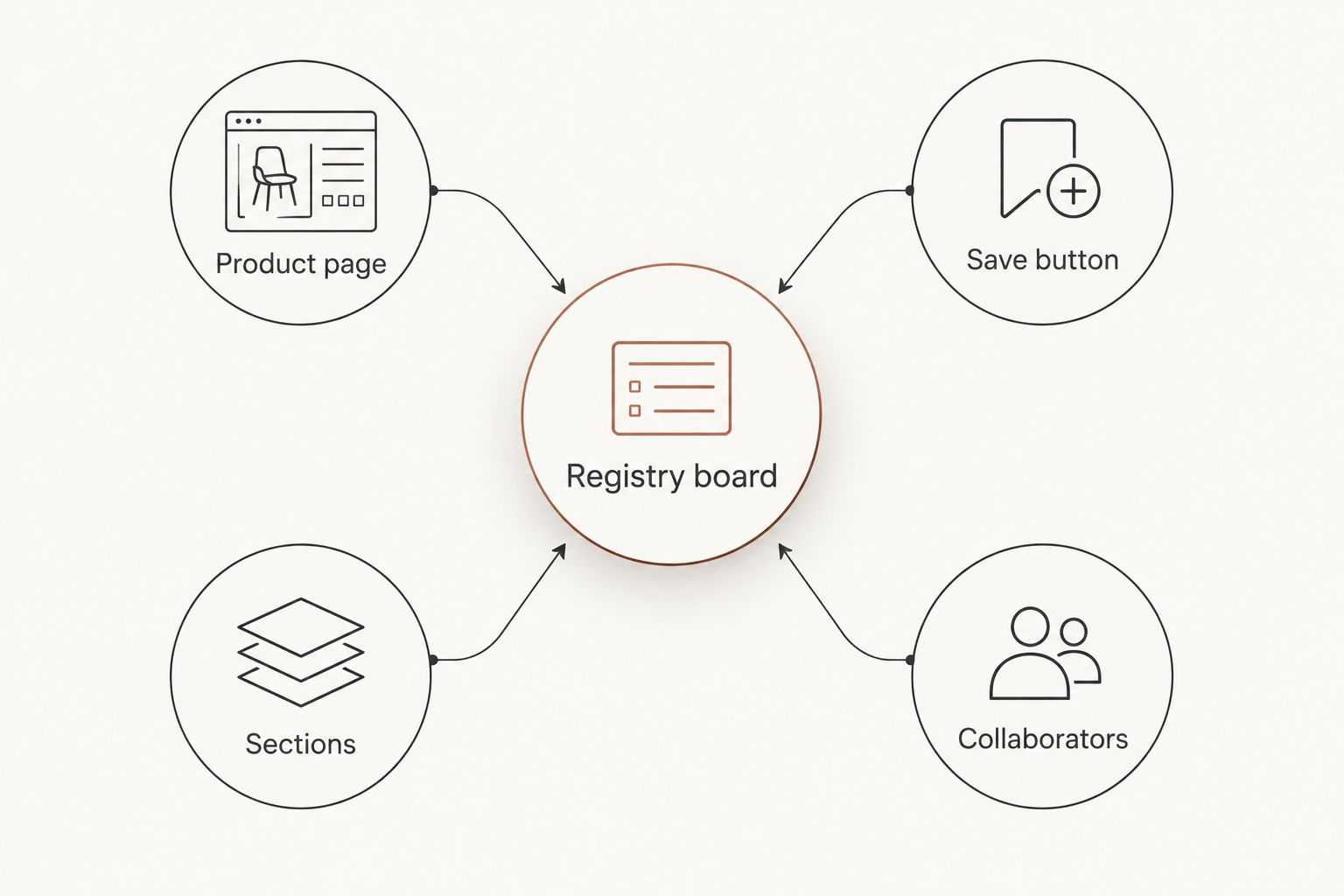
Pinterest doesn't have a built-in "baby registry" tool, but a shared board with sections does the same job for free. Save Goumikids picks straight from the product page instead of screenshotting them into a group text, and anyone you invite can browse the board like a real registry.
- A goumikids pinterest baby registry is a shared Pinterest board with the Save button used on individual product pages, not a separate registry tool.
- Set up one board with 3-4 sections (mitts and boots, gowns and footies, gift sets) so gift-givers browse by category.
- Pin from the single product page, not the collection page, or the price and photo often won't save correctly.
- Add a partner or family member as a board collaborator so more than one person can add or remove picks.
- Stay-on mitts, convertible gowns, and grow-with-you footies are common first pins on a 2026 registry board.
Why this matters
Most new parents already split their registry across two or three sites: Amazon, Target, maybe Babylist. None of those show a visual, scrollable mood board the way Pinterest does.
A Pinterest board built from Goumikids' newborn essentials gives grandparents, aunts, and friends a way to see exact colors and styles before they buy, without logging into a registry account first. It's free, it's visual, and most gift-givers already have the app open.
Before you start
- A free Pinterest account with at least one board created.
- Either the Pinterest browser extension on desktop or the Save button inside the mobile app — pick one method and stick with it, since switching back and forth is the fastest way to end up with duplicate pins.
- The gotcha that trips people up: save pins from the exact product page (a single gown color, a single mitts set), never from a collection or search results page. Collection pages frequently save the wrong hero image or skip the price entirely.
Set up your registry board
- Open Pinterest and tap Create, then Board.
- Name it something a gift-giver will recognize on sight, like "Baby Registry 2026."
- Toggle Secret if you're not ready to share yet, or leave it public so it turns up in Pinterest search.
- Add a short board description that mentions "baby registry" so the board is easier to find if you share the link outside Pinterest.
Expected result: one empty board, ready to receive pins, visible to anyone you send the link to.
Save individual Goumikids pins
- Go to one specific product page on goumikids.com — the convertible gown page, a single mitts color, whatever you want on the board first.
- Click the red Save button on the product image (browser extension) or tap the Save icon over the photo (mobile app).
- In the popup, choose the board you made in step one.
- Repeat per size and per color. A stay-on mitts and boots set in two colors counts as two separate pins, not one.
Expected result: each pin carries the Goumikids product photo, a link back to that exact page, and the price pulled from the page's own data — no manual typing.
The convertible gown is a common first pin because it covers newborn through toddler stages in one piece, and the core bamboo-blend styles run 70% viscose from bamboo and 30% organic cotton, which is worth noting in the pin description for anyone checking fabric before they buy.
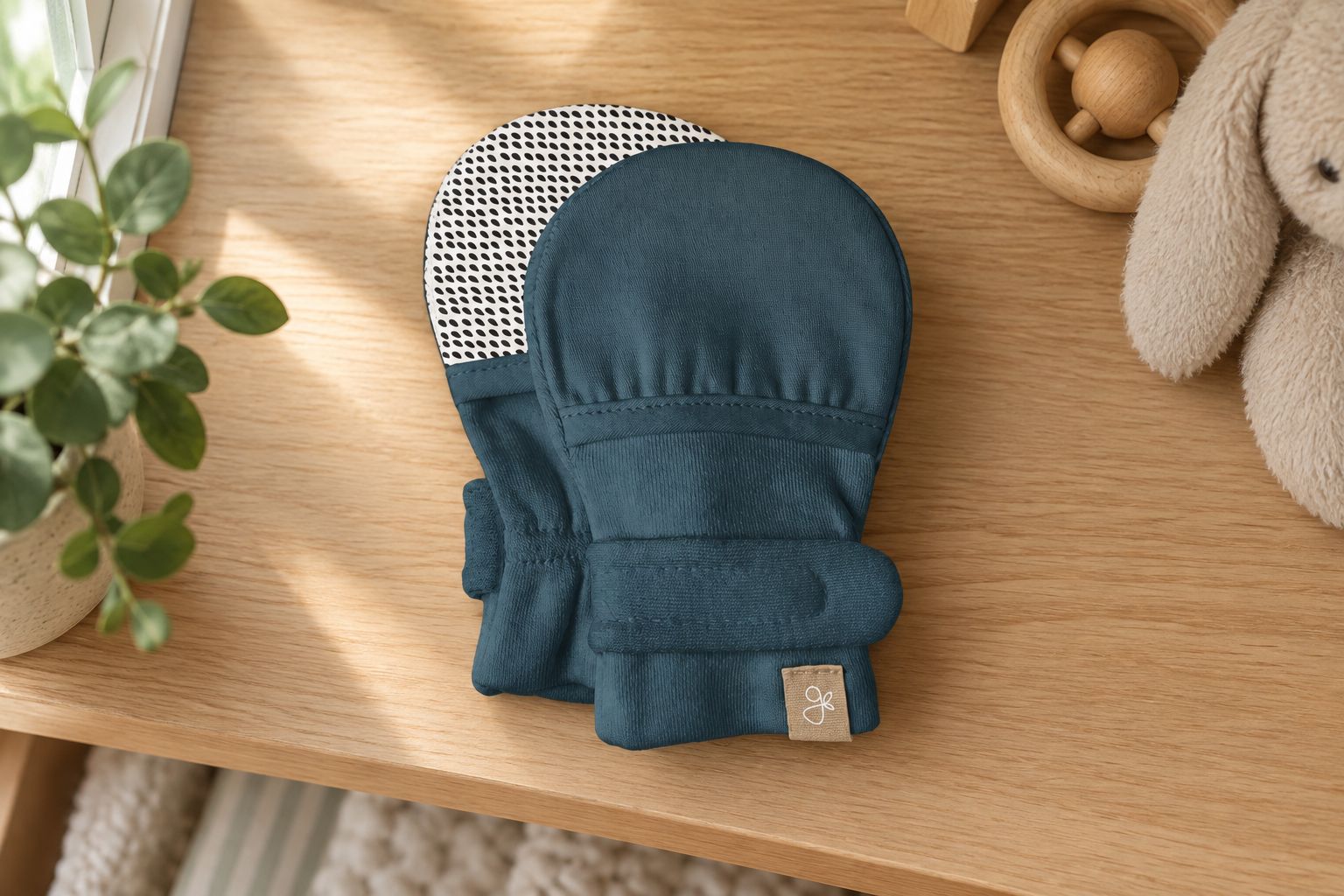
A few picks cover most registries without turning the board into a scroll of near-duplicates:
| Product | Best for | Verdict |
|---|---|---|
| 24-Hour Convertible Gown | Overnight changes without a full outfit swap | Buy |
| Stay-On 2-Pack Mitts, Boulder Birch | Covering newborn scratches through naps | Buy |
| Grow-With-You Footie, Snug Fit | A single registry pick that adjusts across sizes | Buy |
“If the price isn't showing on the pin, you saved it from the wrong page.”
Organize sections by gear category
- Open the board and tap Create section.
- Name sections by what they hold — "Mitts and Boots," "Gowns and Footies," "Gift Sets" work fine.
- Drag existing pins into the right section, or pick the section directly when you save a new pin.
Expected result: gift-givers scrolling the board see grouped categories instead of one long mix of sizes and colors.
Update the board as sizes change
Do this whenever your baby's size range shifts rather than letting the board go stale. Babies outgrow sizes fast, and a registry board full of the wrong size range is worse than no board at all.
- When you swap a size, delete the old pin (open it, tap the three dots, select Delete) instead of stacking a duplicate next to it.
- If a grow-with-you footie is on the board, add a line in the pin description noting which size range you actually need right now — the product line adjusts across sizes, but the pin photo won't show that on its own.
Troubleshooting
- Pin saves with no price. You pinned from a collection or search page instead of the single product page. Delete it and re-save from the exact product URL.
- Pin shows an outdated photo. Pinterest caches the image at save time. Right-click and choose refresh on desktop, or delete and re-pin if that option isn't available.
- Duplicate pins appear. This happens when you switch between the mobile app's Save button and the browser extension. Standardize on one method for the whole board.
- A collaborator can't find the board. Check that the board isn't still set to Secret, or resend the direct invite link rather than the public board name.
- The pin links to the homepage instead of the product. You likely saved from a shared social link rather than the live product page. Re-save from the direct URL on goumikids.com.
Customize your workflow
A Pinterest board works well as a visual front door, but most gift-givers still want to check off an item on a formal list. If your household is also running a registry on another platform, the walkthrough for adding Goumikids to a Babylist registry covers the same product pages from that angle, so the two lists stay in sync instead of drifting apart by 2026.
Sections can also expand past gear categories. Some parents split boards by trimester, by size range, or by who's buying — a grandparent section next to a friends section, each pointing at picks in a price range that fits.
FAQ
What's the best way to set up a goumikids pinterest baby registry in 2026?
Create one Pinterest board, save pins directly from individual Goumikids product pages using the Save button, and split the board into sections by gear category. This avoids the price and photo errors that come from pinning collection pages.
Is a Pinterest board a real baby registry or just a wish list?
Pinterest doesn't track purchases or mark items as bought, so it functions as a visual wish list rather than a transactional registry. Pair it with a platform like Babylist or Amazon if you need gift-tracking.
How do I save a product photo to Pinterest without the browser extension?
Use the Save button built into the Pinterest mobile app while browsing the product page directly, or the mobile browser's share menu if the site supports it. Stick to one method to avoid duplicate pins.
Is Pinterest better than Babylist for a baby registry?
Pinterest is better for visual browsing and mood-boarding; Babylist is better for gift tracking since it marks items as purchased. Many parents run both, using Pinterest as the shareable preview.
Can family members add gifts to my Pinterest registry board?
Yes, invite them as board collaborators so they can save or remove pins directly. Make sure the board isn't set to Secret, or the invite link won't work.
Why isn't the price showing up on my Goumikids Pinterest pin?
The pin was likely saved from a collection or search page instead of the individual product page. Delete it and re-save from the exact product URL to pull the correct price data.
How do I organize a Pinterest registry board by size or category?
Use the Create section option inside the board to make named groups like Mitts and Boots or Gowns and Footies, then drag existing pins into the right section.
Do I need to update my Pinterest board as my baby grows?
Yes, delete pins for sizes you no longer need instead of stacking new ones on top, especially for adjustable pieces like grow-with-you footies where the size range matters.
One last thing
The detail that trips up most boards isn't the pinning, it's the page you pin from. A collection page and a single product page look nearly identical to a parent scrolling at midnight, but Pinterest reads them differently, and only one of them hands your gift-givers a working price and photo. Save from the product page every time and the rest of the board takes care of itself.