



Goumikids Google Shopping: How to Find Listings 2026

Typing "Goumikids" into Google pulls up a pile of marketplace listings, resale posts, and outdated product photos before you ever land on the real thing. Search Google Shopping the right way instead, and you go straight to the exact stay-on mitts, convertible gown, or footie you're after, sold by Goumikids itself.
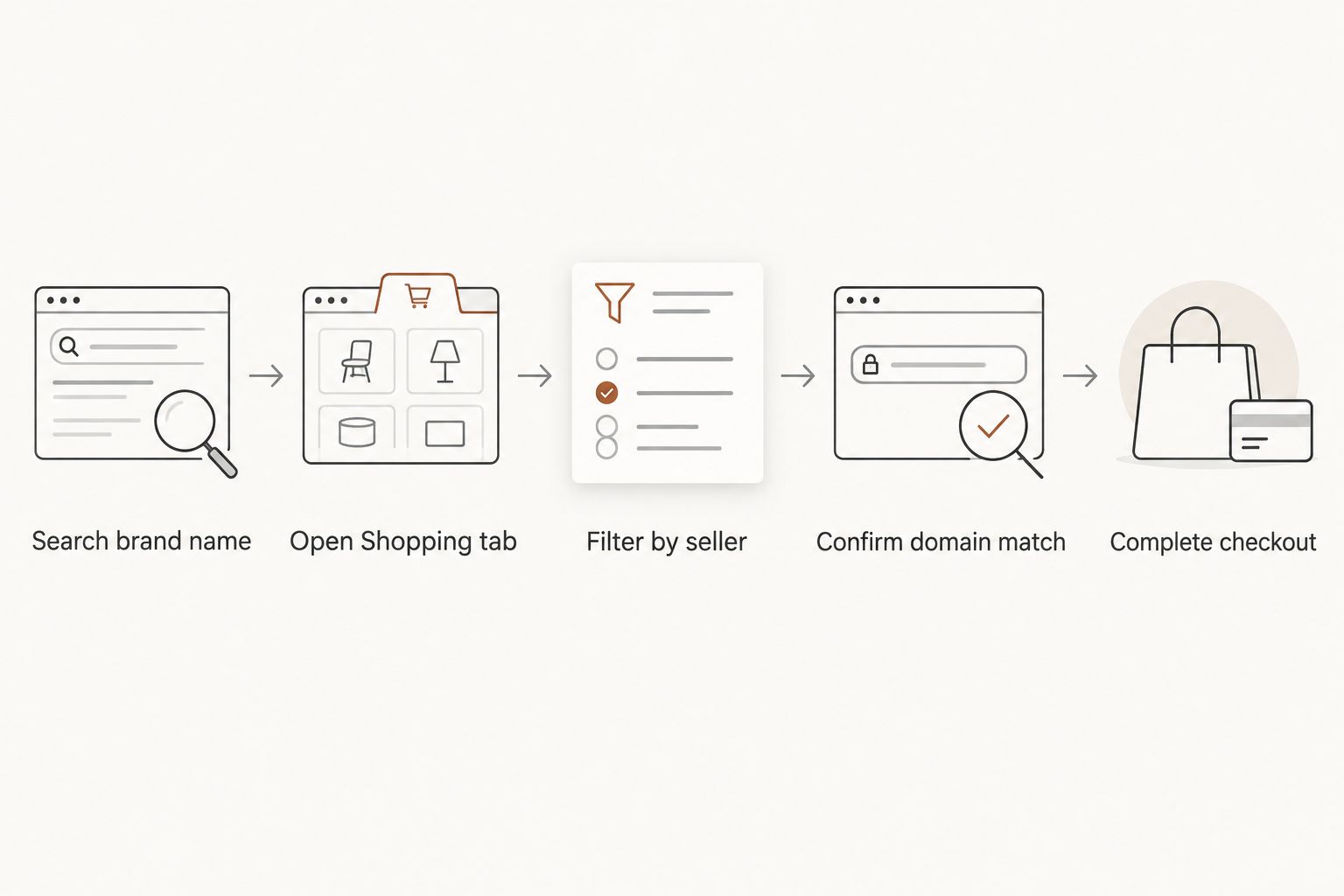
- Search "Goumikids" plus the product name, then open the Shopping tab instead of the regular web results.
- Filter Google Shopping results by seller and confirm the listing reads goumikids.com before checking out.
- Marketplace resellers can show outdated colorways or the wrong size chart for Goumikids gowns and mitts.
- Google Shopping pulls from the live Goumikids product feed, so new colors like the 24-hour convertible gown show up automatically.
- Bookmarking goumikids.com directly skips the search step entirely if you shop the brand often in 2026.
Why this matters
Google Shopping mixes verified brand listings with third-party resellers on the same results page, and the tile art doesn't always tell you which is which. For a brand like Goumikids, that matters because sizing runs by style, colorways rotate, and the patented closures on the mitts and gowns are specific to the product Goumikids actually ships. A reseller tile with the right name and the wrong seller can point you at a different return policy, a discontinued print, or stock that isn't current.
The workflow below takes under a minute once you've done it twice. It's the same three moves every time: search, filter, verify.
Before you start
- No account required. You don't need to sign into Google to browse Shopping results, though signing in tends to personalize results to your region and past searches.
- Know the product type before you search. A generic search like "baby mittens" surfaces every brand selling mittens in 2026. Add "Goumikids" plus the item type (mitts, boots, gown, footie, romper) to narrow it fast.
- The gotcha: Google Shopping lets a tile display "Goumikids" in the title even when the actual seller is a third-party reseller. The product name and the seller name are two different fields, and only the seller field tells you who fulfills the order.
Set up your search
- Open Google and type the brand name plus the product, for example "Goumikids convertible gown" or "Goumikids stay-on mitts."
- Press Enter, then click the Shopping tab across the top of the results, next to All, Images, and News.
- Google swaps you from blue-link results to a grid of product cards with photos and price ranges pulled from the Shopping feed.
Expected result: you see product tiles, not web pages, and each tile shows a store name under the price.
Filter results down to real Goumikids listings
- On the Shopping tab, find the Seller filter in the left panel on desktop or the top filter bar on mobile.
- Check the box for goumikids.com if Google lists it, or type "Goumikids" into the Seller name search field.
- Only touch the Price slider after you've confirmed the seller. Sorting by price before filtering by seller mixes direct listings with reseller pricing that isn't comparable.
Expected result: the tile grid narrows down to listings where Goumikids is the seller of record, not just the brand named in the title.
Verify the listing before you click through
- Click a product tile and check the Compare prices panel that opens on the right.
- Confirm the store name in that panel reads goumikids.com, not a marketplace name you don't recognize.
- Match the photo and colorway against the product page itself, since Google's cached image occasionally lags behind a recent color update on the live site.
Expected result: the address bar reads goumikids.com/products/... before you enter any payment details. That's your confirmation you're on the direct listing, not a reseller's cart.
Track new Goumikids arrivals without repeating the search
Instead of running the same search every time a new colorway drops, set up a standing way to catch it. This is the second workflow worth building alongside the first.
- Bookmark the Goumikids storefront directly in your browser rather than relying on search each visit.
- Where Google offers a Notify me bell icon on a Shopping listing, use it to catch price or availability changes on that exact item.
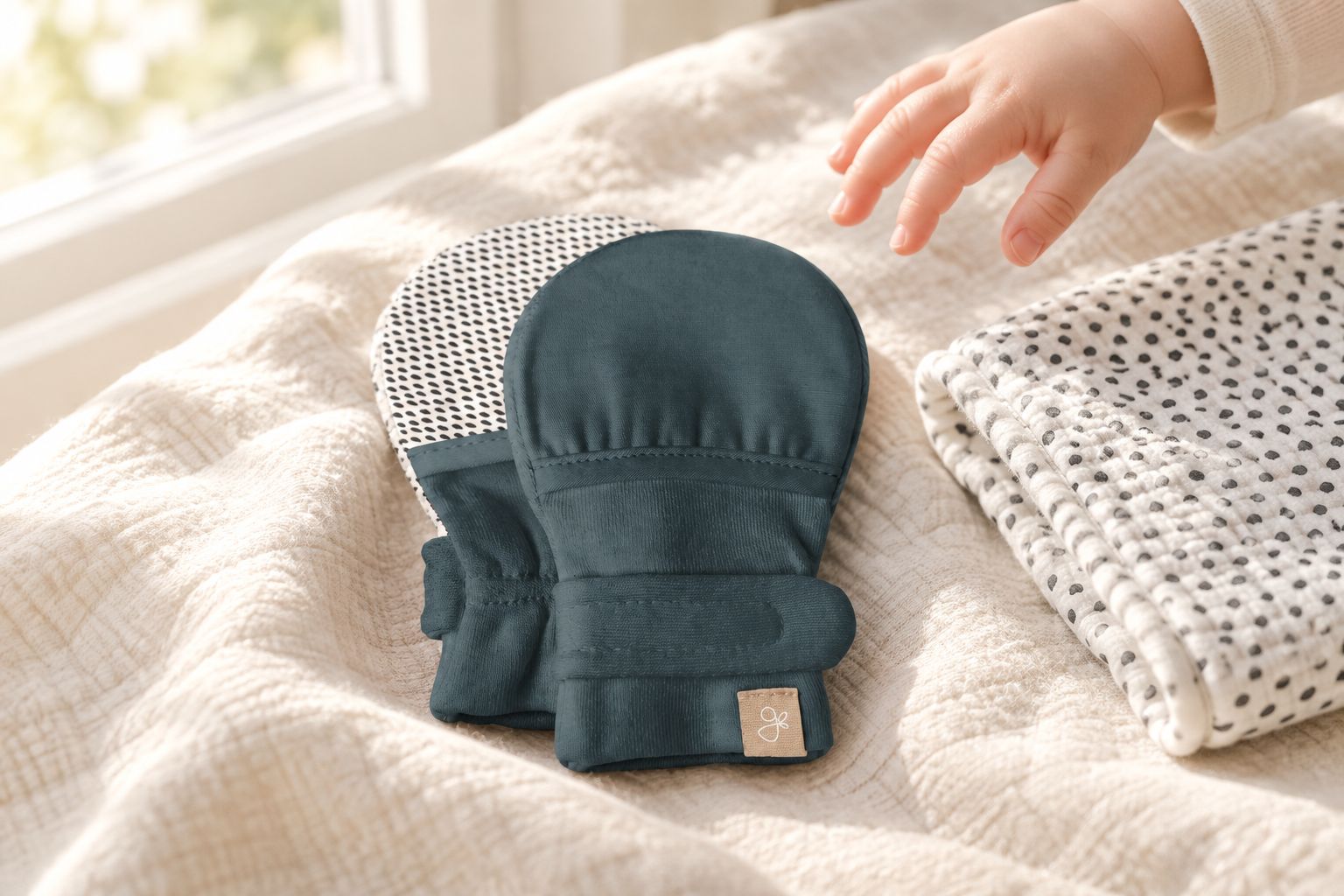
- Check back on core styles, like the stay-on mitts in Midnight or the 24-hour convertible gown, when a season turns over. Goumikids tends to add colorways to existing styles rather than replacing whole product lines, so the search terms you already know keep working in 2026.
Expected result: you catch restocks and new colors without rebuilding the search from scratch every week.
Troubleshooting
- Goumikids doesn't show up in the Shopping tab at all. Drop the product word and search the brand name alone, or check your location setting. Shopping feeds vary by region.
- The seller name isn't Goumikids, but the tile looks identical. That's a reseller listing running off a separate feed. Pricing, stock, and return terms can differ from goumikids.com even when the photo matches.
- The photo shows a colorway you can't find on the site. Google's cache lags behind live inventory sometimes. The product page on goumikids.com is always the current source for what's actually available.
- Clicking the listing lands you in a marketplace cart, not goumikids.com. Back out and re-search with "goumikids.com" added to the query. That pushes the direct listing higher in the Shopping results.
- The size chart in the Shopping card doesn't match what you expected. Structured data on a Shopping tile comes from whatever feed the seller submitted. Check the size chart on the actual product page before ordering, especially for grow-with-you styles that size differently than a standard footie.
Customize your workflow
Google Shopping is one entry point, not the only one. If you already follow the brand on social, buying through the app skips the search step entirely, and the workflow looks different on each platform. The guide on buying Goumikids through TikTok Shop covers the in-app checkout flow, and shopping straight from an Instagram post follows a separate set of taps worth knowing if that's where you spend more time in 2026.
FAQ
Does Goumikids sell through Google Shopping?
Yes, Goumikids products appear in Google's Shopping tab through the store's product feed. Search the brand name plus the item type and switch to the Shopping tab to see current listings.
How do I know I'm buying directly from Goumikids and not a reseller?
Check the seller name shown under the price on the Shopping tile, then confirm the Compare prices panel and the final checkout URL both read goumikids.com. A reseller can use the brand name in the title while listing itself as the seller.
Why does Google Shopping show a different color than what's on the Goumikids website?
Google's cached image can lag behind a recent update on the live site. The product page on goumikids.com always reflects the current colorway and stock.
Can I find Goumikids convertible gowns through Google Shopping?
Convertible gowns and other core styles appear in the Shopping feed when they're active on the site. Search "Goumikids convertible gown" and filter by seller to confirm you're on the direct listing.
Are Goumikids products sold on Amazon or Walmart through Google Shopping?
Google Shopping can surface third-party marketplace listings alongside the direct brand listing. Filter by seller to separate goumikids.com from a marketplace reseller before you buy.
What's the fastest way to find a specific Goumikids item in 2026?
Search the brand name plus the exact product type, switch to the Shopping tab, then filter by seller. Bookmarking the storefront directly is faster once you know the style you want.
Does Google Shopping show preemie-specific Goumikids sizes?
Shopping feeds don't always break out every size variant on the tile itself. Confirm preemie sizing on the actual product page before ordering rather than relying on the Shopping card alone.
How often does the Google Shopping listing for Goumikids update?
The feed updates automatically when product data changes on the store side, though Google's cached images can lag. The live product page is always the current source for stock and color.
One last thing
The filter most shoppers skip is Seller, and it's the one that matters most. A tile with "Goumikids" in the title and a different name at checkout is exactly where sizing charts and return windows drift from what Goumikids actually offers. Confirm the seller before you fall for the color.